
How to Translate Manga: Complete Guide from Raw Scans to Typeset Pages
A comprehensive guide to manga translation workflows. Learn how scanlation groups work and how modern AI translates raw Japanese manga in seconds.
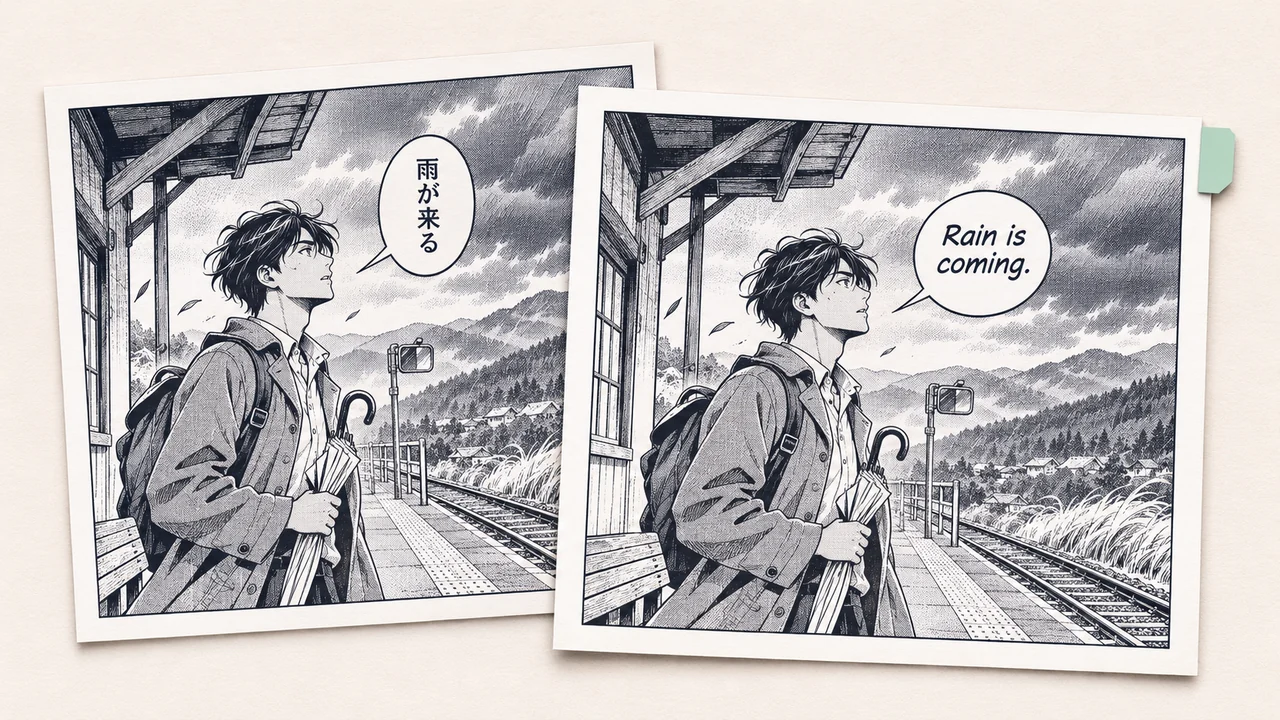
Manga translation—once the exclusive domain of dedicated scanlation groups spending hours per chapter in Photoshop—has entered a new era. Whether you are an avid reader eager to understand the latest raw Japanese releases before official localization, or an aspiring translator refining your workflow, this guide covers the complete spectrum: the anatomy of manga lettering, traditional scanlation craftsmanship, and the high-speed AI translation pipeline.
The Anatomy of a Manga Page
Before translating a single word, it helps to understand how manga creators compose storytelling elements visually:
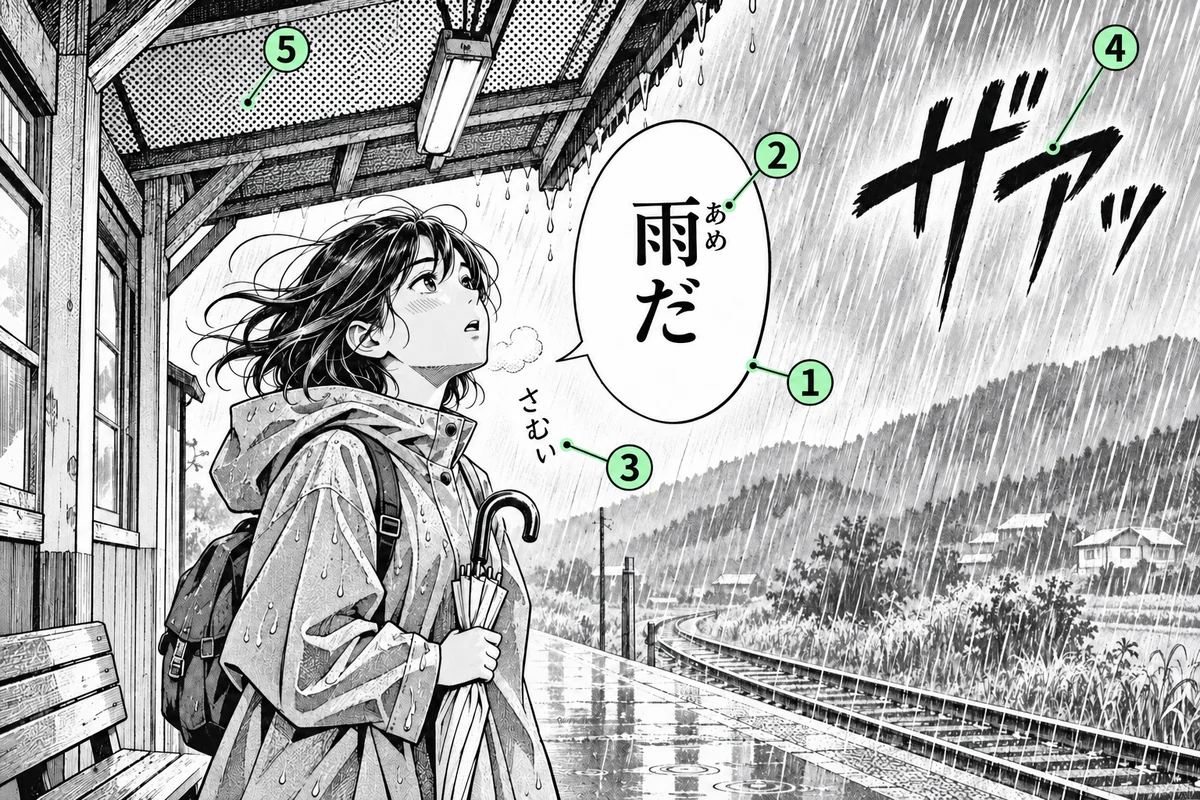
Five details to look for in a manga panel.
- Vertical dialogue bubble
- Furigana beside the kanji
- Handwriting outside the bubble
- Sound effect drawn into the panel
- Halftone screentone
| Element | Description | Scanlation Challenge |
|---|---|---|
| Dialogue Bubbles | Primary character speech, typically written vertically (tategaki) from right to left | Requires speech bubble mask detection and clean text erasure |
| Furigana (Ruby Text) | Tiny hiragana printed alongside kanji characters to indicate pronunciation | Generic OCR tools mistakenly mix furigana with main kanji characters |
| Whispers & Off-Bubble Text | Small, handwritten text outside bubbles depicting internal monologues or side quips | Irregular fonts, lack of white bubble backgrounds, drawn directly on artwork |
| Sound Effects (SFX / Onomatopoeia) | Stylized characters representing impact (DON!), tension (Zawa...), or silence (Shiin...) | Heavily distorted typography deeply integrated with character art and action lines |
| Screentone Backgrounds | Halftone dot patterns (60–80 LPI) providing shading, depth, and atmospheric lighting | Careless erasing creates flat white voids that ruin the original mangaka artwork |
The Traditional Scanlation Workflow
Professional scanlation groups divide manga translation into specialized roles:
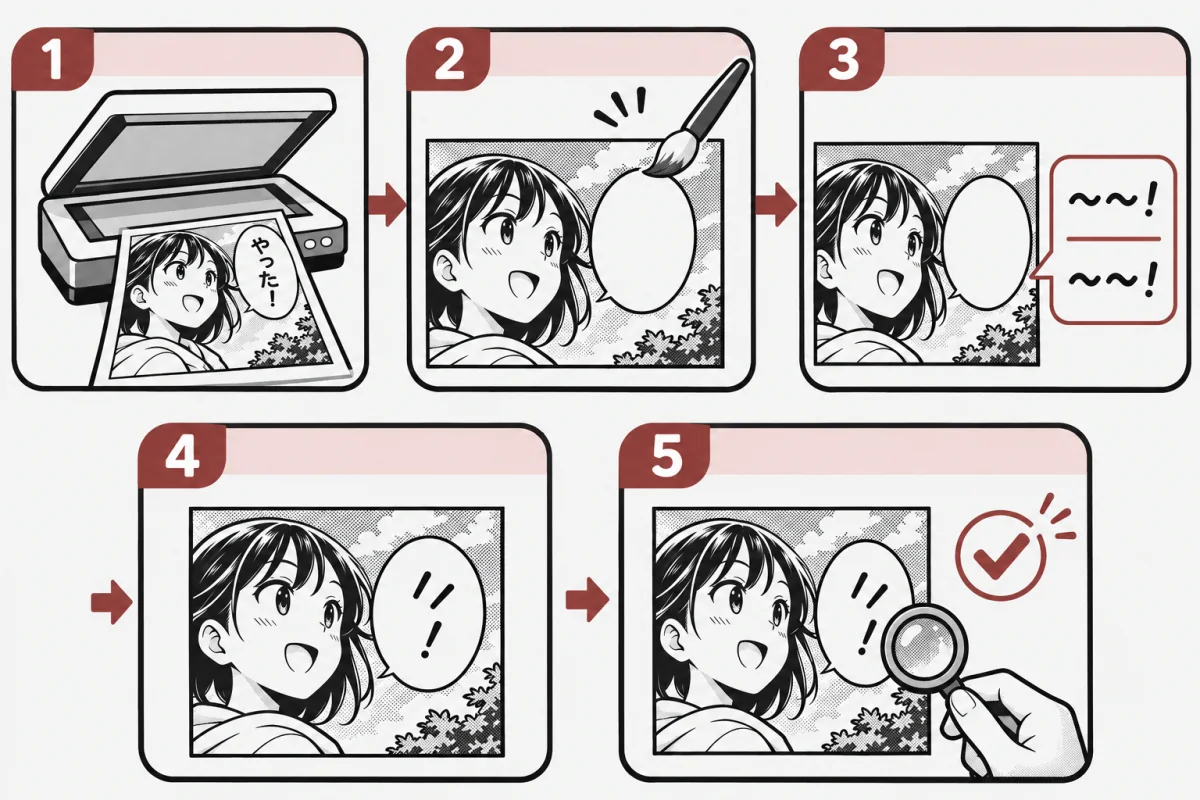
- Raw Provider
- Cleaner / Redrawer
- Translator
- Typesetter / Letterer
- Quality Control
1. RAW Acquisition
Scanlation begins with acquiring the cleanest possible source files. Digital web raws (from services like Shonen Jump+ or BookWalker) offer pristine digital linework. Print scans from physical magazines (Weekly Shonen Magazine, Young Jump) require de-screening, leveling, and color-balance corrections in Photoshop to eliminate paper bleed-through.
2. Cleaning & Redrawing
The cleaner removes all Japanese dialogue. Where text overlaps character hair, screentones, or intricate background architecture, the redrawer painstakingly reconstructs the underlying art using clone stamps, custom screentone brushes, and digital ink pens. This single step often takes 45 to 90 minutes per chapter.
3. Translation & Cultural Localization
The translator renders Japanese into natural English dialogue. Key hurdles include:
- Honorifics: Deciding whether to preserve -san, -kun, -chan, and -senpai, or adapt them to Western conversational cues.
- Contextual Pronouns: Japanese frequently omits subject pronouns (watashi, anata). The translator must infer speakers from speech patterns and visual panel context.
- Puns and Cultural References: Wordplay based on kanji homophones requires creative adaptation (transcreation) rather than literal translation.
4. Typesetting & Lettering
The letterer selects professional comic typefaces (such as CC Wild Words, Anime Ace, or Comicraft fonts) and fits translated text into narrow vertical bubbles. Good typesetting balances font size, leading (line spacing), and hyphenation so dialogue flows smoothly without awkward line breaks.
5. Quality Control (QC)
A senior editor reviews the final compiled pages against the original raws, verifying spelling, grammar, font consistency, and visual layout.
Translate images or a full chapter online
- Sign in to the manga translation workspace. Select up to 10 separate JPG, PNG, or WebP images, or choose up to five PDF, ZIP, or CBZ documents. Each document can have up to 50 pages and be up to 100 MB. The total per batch is 100 pages.
- Choose a source and target language. The workspace offers Japanese, Korean, English, and Simplified Chinese, plus automatic detection for the source language.
- Review the estimated credits before confirming. Chapter translation costs one credit per page. Keep the page open until the chapter uploads and joins the queue. You can then return to Translation history to compare the pages and download a ZIP or CBZ.
The translator recognizes and translates text on each page and places it over the artwork where possible. Text that cannot be placed reliably is displayed separately. Review small vertical characters and sound effects against the source.
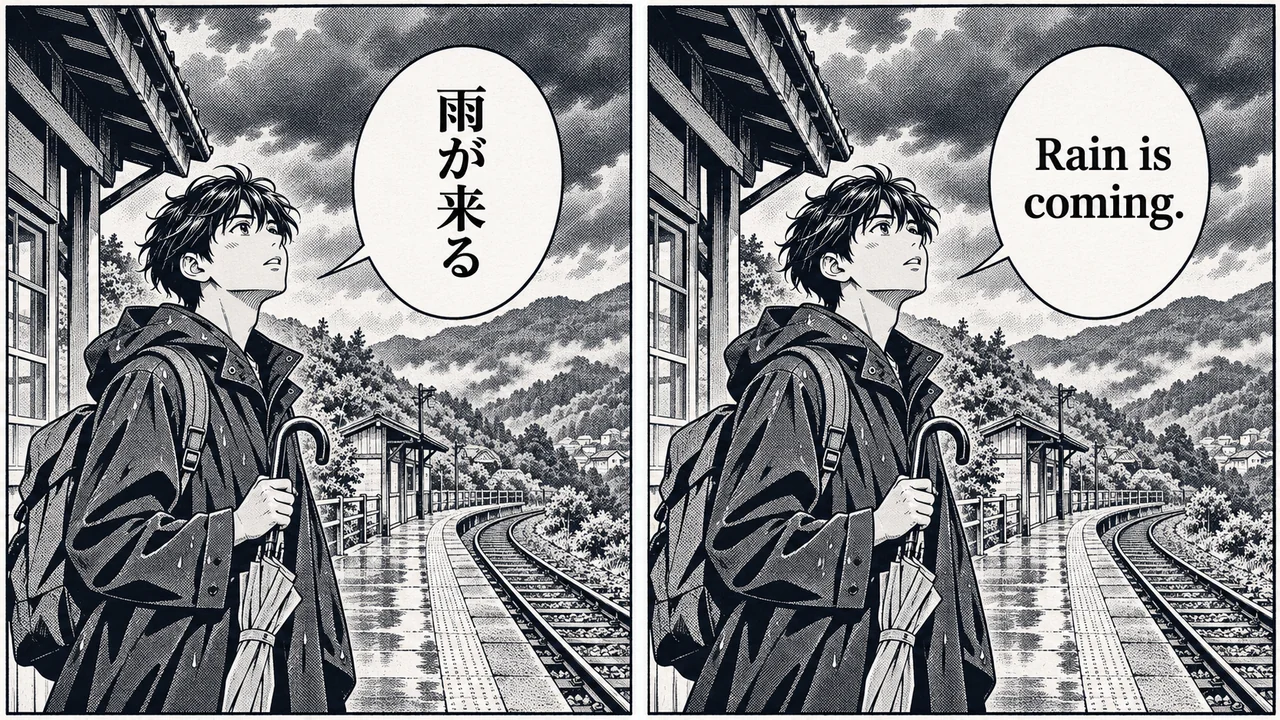
Best Practices for Crisp Manga Translation
Whether you are catching up on raw chapters or localizing indie doujinshi, combining AI speed with human editorial eye gives you the ultimate reading freedom.
References & Authoritative Sources
- All Japan Magazine and Book Publisher and Editor Association (AJPEA) — Annual Report on Japanese Digital Manga Publication Trends
- W3C Internationalization Working Group (JLReq) — Requirements for Japanese Text Layout
- Tokyo University Manga109 Research Group — Sketch and Manga Processing: A Benchmark Survey on Comic Page Analysis