
The Best Ichigo Reader Alternatives: Modern In-Browser Manga Translators
Looking for a reliable Ichigo Reader alternative? Discover modern browser extensions with generative screentone inpainting, active updates, and zero server lag.

For years, Ichigo Reader was one of the go-to Chrome extensions for reading raw Japanese manga online. By parsing images directly in browser tabs, it allowed fans to stumble through untranslated chapters on sites like MangaDex and Rawkuma without having to download image folders.
However, many long-time users have experienced growing frustration: frequent server outages, unmaintained codebases, lack of Korean manhwa support, and crude text erasure that smears ugly gray boxes across delicate manga panels.
If you are looking for a modern, actively supported Ichigo Reader alternative, here is what you need to know about the current generation of in-browser manga translators.
Why Ichigo Reader Fell Behind
To understand why an alternative is necessary, consider how browser-based manga translation technology has evolved:
| Feature | Legacy Ichigo Reader | Modern Manga Translators (2026) |
|---|---|---|
| Text Erasure & Cleaning | Simple color fills (leaves blurry gray boxes) | Deep Diffusion Inpainting (restores halftones) |
| Reading Direction | Unreliable on vertical multi-column Japanese | Native Tategaki Parser (accurate sentence flow) |
| Korean Manhwa Support | Poor or non-existent | Full support for infinite vertical scroll strips |
| Server Uptime & Reliability | Frequent "Server Error" outages | High-availability cloud GPU clusters |
| Pre-Loading | Translates only after page loads (laggy) | Background pre-fetching of next 2 pages |
| Language Learner Aids | Basic overlay | Hover tooltips with furigana and romaji |
The #1 Ichigo Reader Alternative: AI Manga Translator Extension
Platform: Chrome, Edge, Brave, Opera
Website: aimangatranslation.com/extension
The AI Manga Translator Chrome Extension was designed from the ground up to replace outdated legacy extensions. It provides a lightning-fast, high-fidelity experience directly within your browser.
Key Upgrades Over Ichigo Reader:
1. True Generative Inpainting
While Ichigo covers text with a flat gray or white patch, AI Manga Translator uses neural inpainting to synthesize the authentic 60–80 LPI screentone pattern underneath. Hair, clothing folds, and background action lines that cross behind the text are preserved without blur.
2. Multi-Platform Compatibility
Works seamlessly across:
- MangaDex (in both single-page and long-strip webtoon modes).
- Pixiv Comic & Nico Nico Seiga (indie doujinshi).
- Naver Webtoon & KakaoPage (Korean webtoons).
- ComicWalker & Comic Days (Japanese official publishers).
3. Smart Pre-Loading
Instead of waiting 4 seconds every time you press the right arrow key, the extension detects your reading pace and quietly translates the upcoming pages in the background. Page flips feel instantaneous.
4. Interactive Hover Mode for Japanese Students
If you prefer reading in Japanese but occasionally need help with rare kanji, switch to Hover Mode. Keeping the original art untouched, hovering your cursor over any dialogue bubble reveals an instant pronunciation guide and context-aware English translation.
How to Switch from Ichigo Reader in 2 Minutes
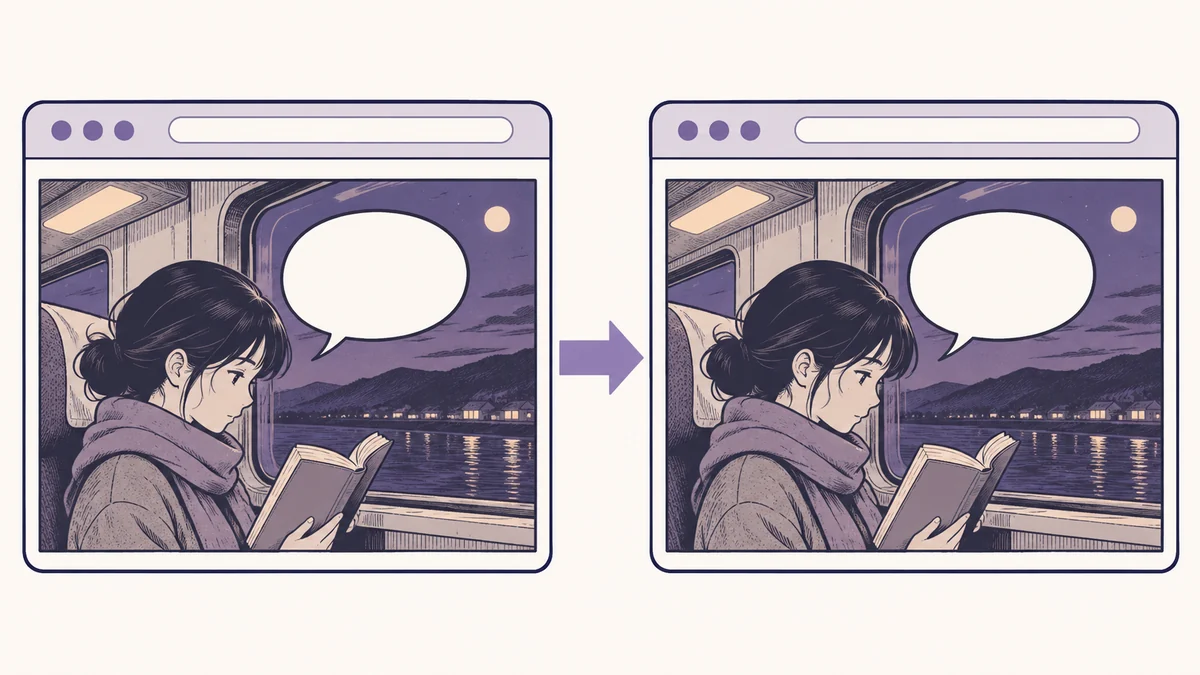
Switching to a modern translator is effortless:
- Remove the Legacy Extension: In your browser, navigate to
chrome://extensions/and remove Ichigo Reader to prevent script collisions. - Install AI Manga Translator. Use the install button on the extension page to open its official Chrome Web Store listing. Click Add to Chrome, then Add extension to confirm.
- Pin to Toolbar: Click the puzzle piece icon in Chrome's top-right toolbar and pin AI Manga Translator.
- Open MangaDex & Press
Alt + T: Open any untranslated raw manga chapter and pressAlt + T(orOption + Ton Mac). The page translates immediately.
Say goodbye to "Server Timeout" errors and blurry gray patches—upgrade your manga reading experience today!
References & Authoritative Sources
- Mozilla Developer Network (MDN) — WebExtensions API, MutationObserver, and Canvas Rendering Best Practices
- Chrome for Developers — Chrome Extension Migration and Sandboxed Content Script Guidelines
- W3C Web Applications Working Group — DOM Living Standard and Event-driven In-place Translation Architectures