
How to Translate CBZ and ZIP Manga Chapters
Nov 20, 2026AI Manga Translator
Check comic archive formats and page order, then translate a CBZ or ZIP chapter and download the completed pages.

Choose a CBZ or ZIP archive in the manga translation workspace to translate a chapter from page images. Your browser extracts the pages and shows the page count before you confirm. Manga PDFs have their own import instructions.
Prepare the archive
- Put JPG, PNG, or WebP pages in the ZIP or CBZ. Each file can have up to 50 pages and be up to 100 MB. A batch can have up to five documents with 100 pages total.
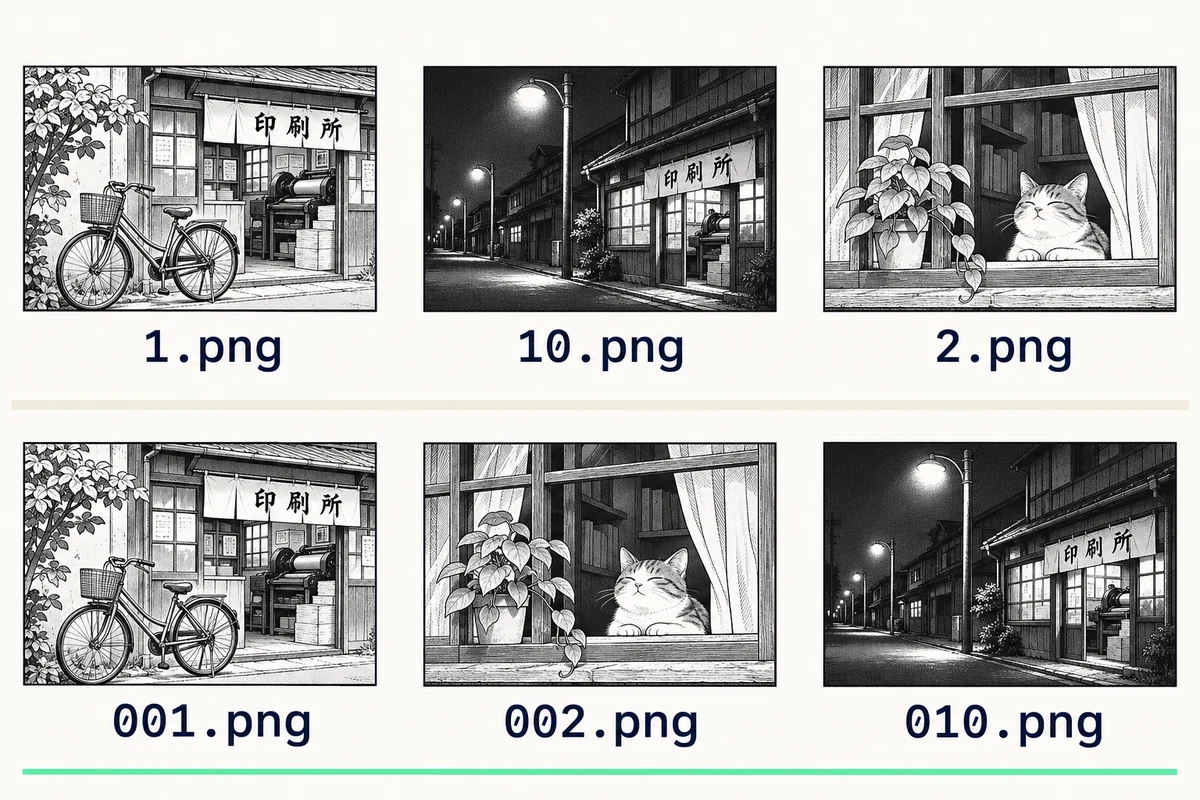
- Number the image files in reading order, such as
001.jpg,002.jpg, and010.jpg. The importer sorts the image paths numerically. Clear numbering also helps when you move the result to a reader that sorts filenames differently. - If you have a CBR, extract its images with a local archive tool and pack the pages into a regular ZIP. Renaming a RAR-based CBR does not change its archive format.
Submit the chapter
- Sign in to the manga translation workspace and select your ZIP or CBZ.
- Check the page count and expected credits. Chapter translation costs one credit per page. Pick a target language and confirm.
- Keep the page open while the browser extracts and uploads the page images. Once the chapter joins the queue, translation continues in the background.
- Open the result from Translation history. Compare the pages, retry any eligible failures, and choose ZIP or CBZ to download completed pages.
The export builds a new archive from the translated images. Keep the source archive if you need its original folder structure or ComicInfo.xml metadata. Before reading the export, compare the completed page count with the source chapter so you can recover any missing pages.